Details

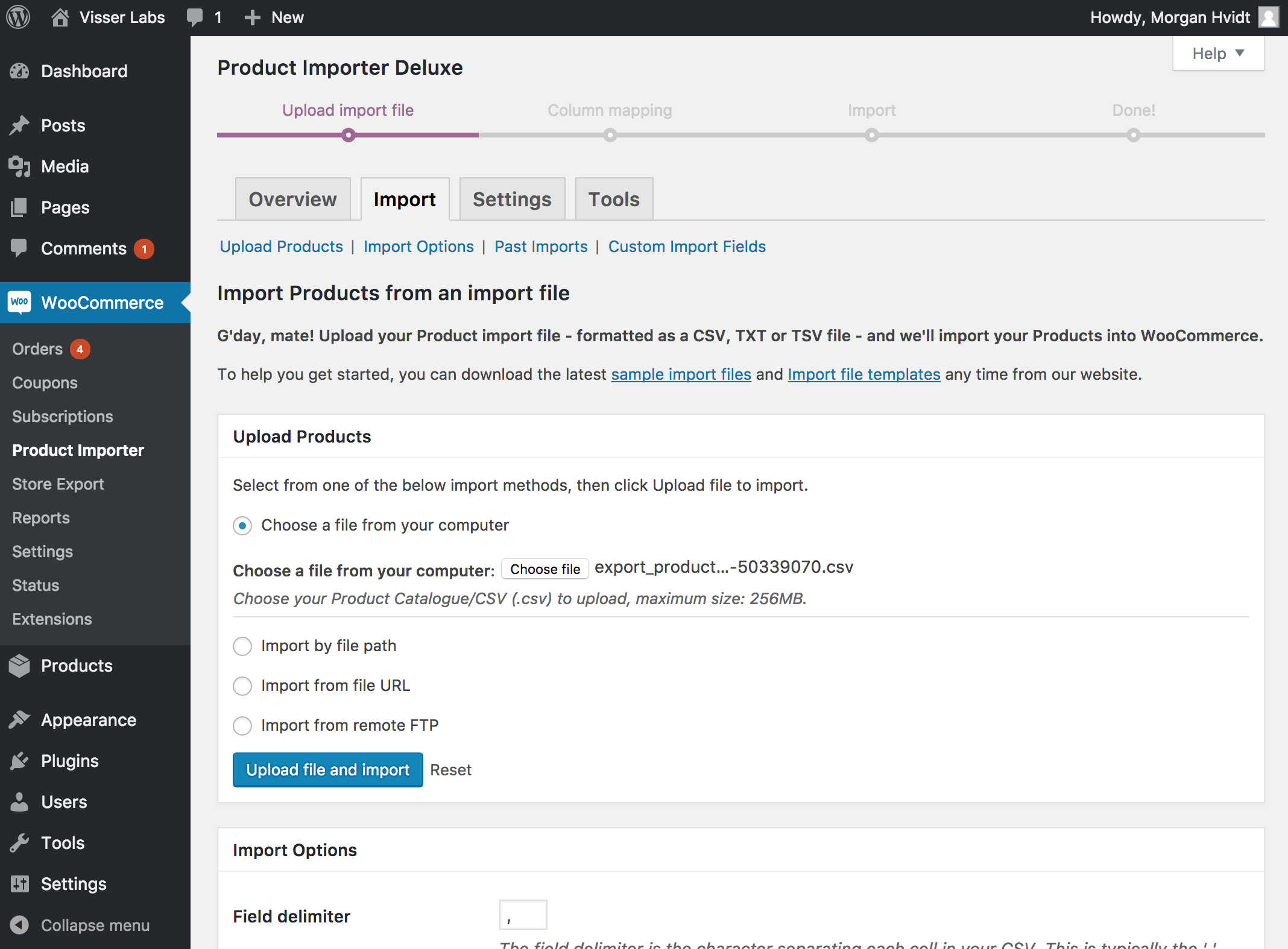
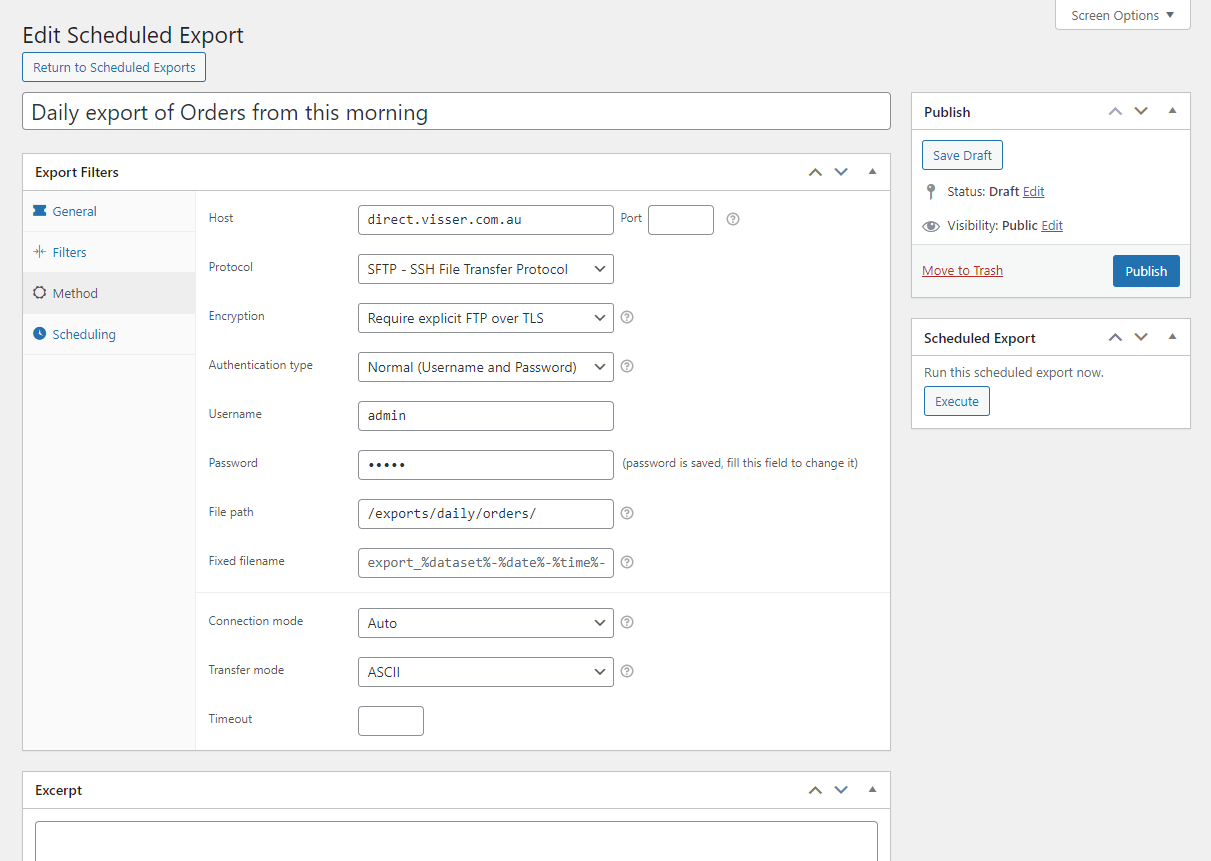
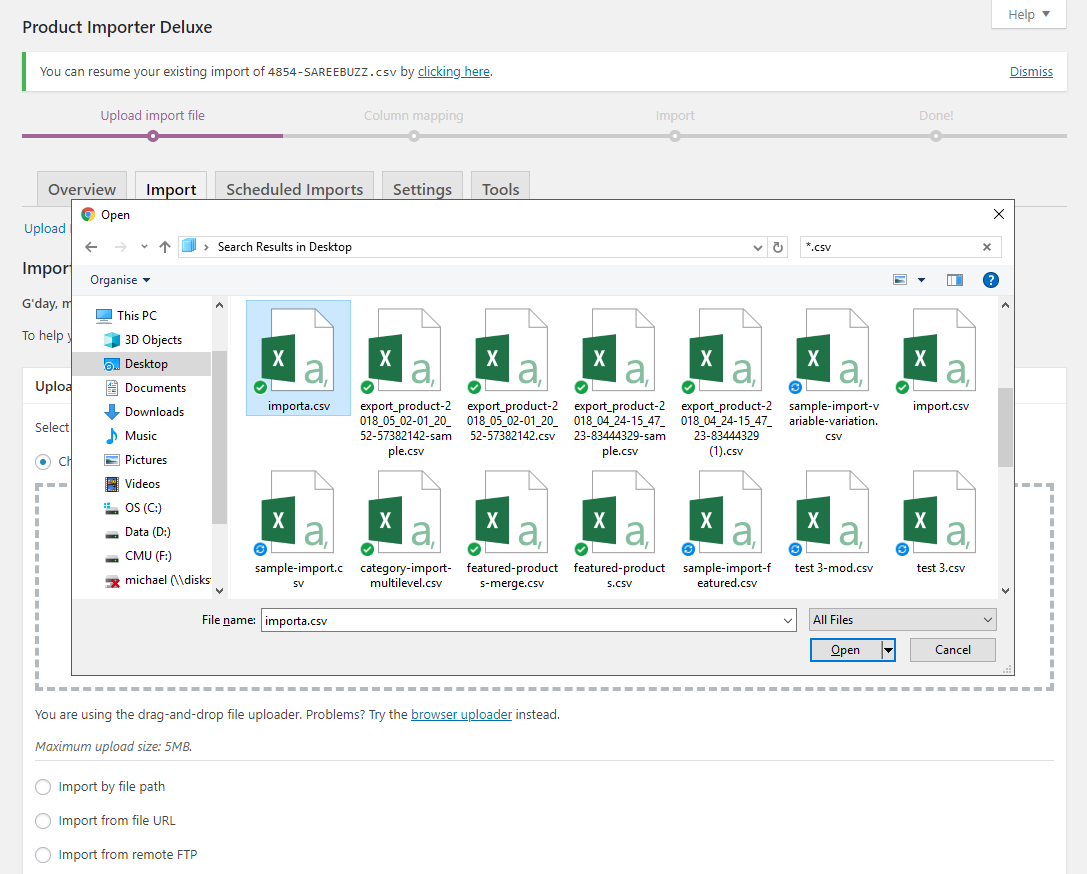
This user-friendly Product importer, with clear step-by-step instructions helps you import Categories, Tags, Products and other Product details into your store. After successfully importing tens of thousands of Products across hundreds of WP e-Commerce, Jigoshop and WooCommerce stores Product Importer Deluxe has become the standard for store owners and web developers to bulk import Categories, Tags and Products into WordPress based stores.

With our importer you can merge Products changes against existing Products by choosing from the available import methods detailed on our FAQ page. Our importer generates Categories, Tags, Images and Variants assigned to Products at import time making setting up your next store a one-step process.

How does it work?

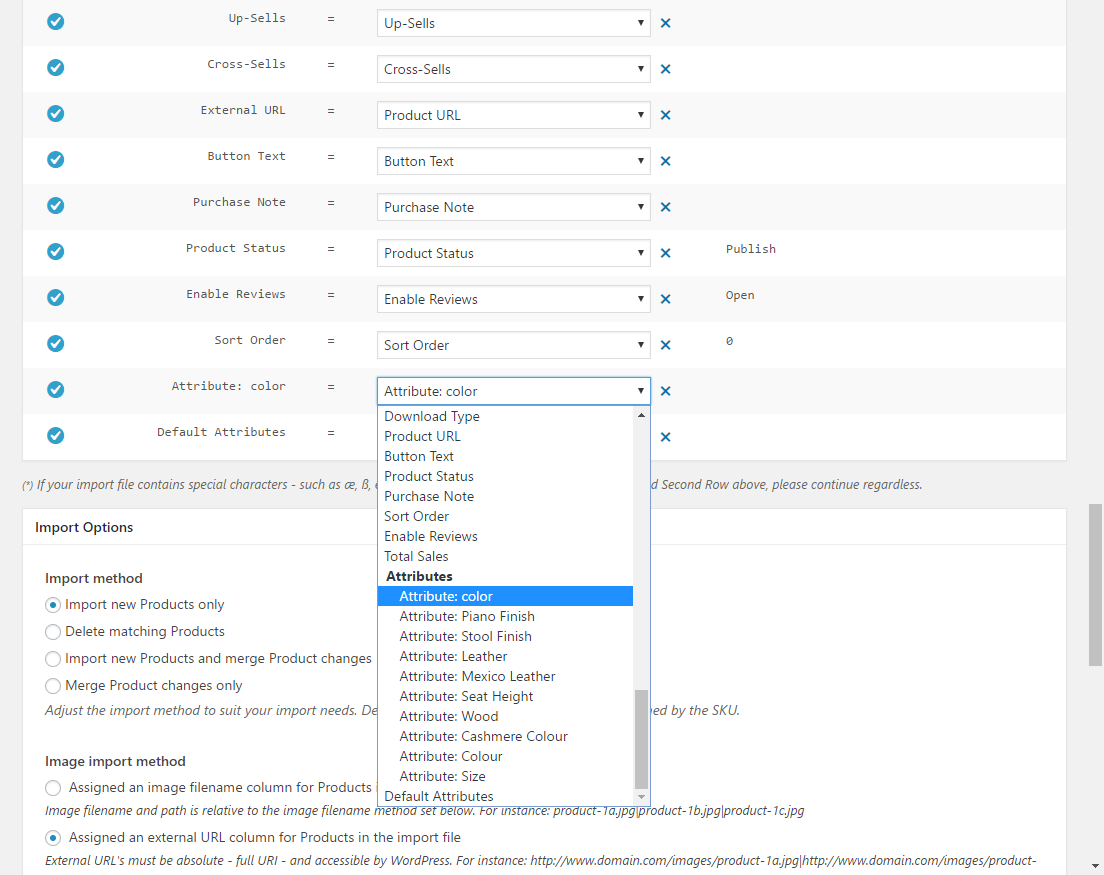
Product Importer Deluxe earns its keep by populating the Categories, Tags, Images and Product tables in your store with Products details from a formatted CSV file. Supported Product detail fields include:

General

  • SKU *
  • Product name *
  • Description
  • Excerpt
  • Price *
  • Sale price (Special price)
  • Weight
  • Width
  • Length
  • Height
  • Image (with automatic thumbnail generation)
  • Attributes
  • Sort Order
  • Product URL
  • Product Status
  • Comment Status

Type & Visibility

  • Type
  • Visibility
  • Featured

Categories & Tags

  • Category *
  • Tag

Tax

  • Tax Status
  • Tax Class

Inventory

  • Manage Stock
  • Quantity (Quantity limited option)
  • Allow Backorders

Third-party integration

To enable the import options for the above 3rd party Plugins ensure the Plugin (e.g. Related Products) is activated and up to date, refer to the sample CSV’s above for examples.

* Denotes required fields for importing. Field requirements differ for merging Product changes.

Support for additional Product details are introduced through regular free Plugin updates.

Update

The latest release can be downloaded from your My Account page.

Documentation

Looking for support, a copy of the readme, Plugin updates, Ideas or usage instructions? Check out our Documentation for Product Importer Deluxe.

947 thoughts on “Product Importer Deluxe

  1. Will there be feature parity for Woocommerce any time soon?

    I need the functionality described on the site, but apparently all the features referred to as 2.0, 2.97, 3.1.8… including product merge and category import do not come with the version 1.6.8 for Woocommerce, correct?

    • Hi Jeff, the new import method functionality (new only, merge only, import and merge) will be introduced into the next minor Plugin update for our WooCommerce shortly. The available WooCommerce release of PID already supports basic Product merging as well as Category, Tag and Product Image generation.

      Our intention is to make features available to all platforms as close to initial release as possible.

  2. Will this importer work with CSV files from ebay? Is there a ton of reworking involved to list to my website? This will be for Jigoshop.Thanks

  3. I’m just checking to make sure that although “Additional Description” isn’t listed as being imported, it will, in fact, be imported. The exporter exports it, so it seemed to make sense that likewise it would be imported. :) Thanks!

  4. Pingback: [Plugin update] Related Products – 2.1.2 | Visser Labs

    • Discovered the problem.
      If you delete a product which has variations associated with it from WPEC then add the same product back again and try to add the same variations back to it, the importer fails. (Though it does not give any message that it failed) The original variations SKU still exists in the database and was never deleted.

      Product Importer Delux does not give a message that a duplicate SKU exists but just says the variation import was successful when it was not.

      One must go into the SQL db of WP-Ecommerce and manually remove any SKU’s which may conflict with a new import as there is no other way to view or delete variation SKU’s through the control panel of wpecommerce.

      FYI

      • Can someone please give me some explicit directions on how to import variations. I looked at the sample file and see how to set it up, but which field do I map it to when importing. I created variations, but they don’t show up as fields to import into. I tried to create custom fields with attributes, but the field is just displayed on my site and is not formatted as a dropdown to allow the customer to select a size or color. I would truly appreciate any assistance.
        Fashionablymodest.net

        • I had my best success importing variations in these steps.

          First do an import of the main product so it is in the database before importing variations.

          Second do a separate import of the variations of this product. In this second import the sku of the variation needs to be different and the product name needs to have the name of the main product in it just like in the sample and instructions.

          • Scott,

            Thank you for responding. You stated that I should add the data just like in the sample and instructions. I cannot find any instructions for adding variations in the readme.txt. Where can I find instructions for adding variations?

              • Thank you very much for the link Scott. I found it very helpful and it answered my questions pertaining to variations. I have one more question regarding images. I have about 7 images per product, but I have a specific image that I want to use for the thumbnail. How can I specify which image I want to use for the thumbnail?
                In the documentation, it said that for version 3.7, thumbnail images should be uploaded to the folder: /wp-content/uploads/wpsc/product_images/. I’m using wp e-commerce version 3.8.9.4. Do I upload the images to the same directory?

                • The instructions say to upload images to: wp-content/uploads/2012/12. (Current year/month). I list the image I want to be the thumbnail as the first image in the csv file. So… thumbnailImage.jpg|otherimage.jpg… This would go in the image field of your csv import.

                • Hi scott, thanks for jumping in, that’s correct, just the filename when using the filename image import method.

                  I’m currently working on porting the site over to the 2013 theme and introducing a much clearer on-site support platform; good for everyone, customers and providing support.

      • Hi Jesper, thanks for raising this, I’ll look at the Product Name filtering rules we’re using for generating variations, it sounds like it’s ripping them out incorrectly where multiple uses of the same word are in play.

  5. Pingback: [Plugin update] Product Importer Deluxe – 3.2.1 | Visser Labs

  6. Hi Michael,

    Really happy with the plugin, features & support.

    I mentioned the problem with images getting zapped when updating products (see below), can you tell me when it’s likely to be looked at?

    It looks like there’s a problem with the parsing of the image filename in the CSV in the image comparison step, with the first character being lost – when the importer then checks the directory, it thinks the existing images are wrong & deletes them.

    Then in the next step, it looks for the correct filename – but as the previous step has deleted it, no image can be linked.

    Here’s an example of the report:

    >>>>>> Scanning Images for changes…
    >>>>>>>>>>>> Image comparison: 5710-1.jpg to 710-1.jpg
    >>>>>>>>> Removing legacy Images
    >>>>>>>>>>>> Image deleted: 5710-1.jpg
    >>>>>>>>> Skipped Image Download: 5710-1.jpg – No Image could be found matching that filename

    Thanks,
    Matt.

  7. Hi Michael,

    I’m looking to buy an importer plugins for WooCommerce, as I finally got fed up of WPEC releasing broken alpha code & have moved over to Woo.

    The question is, what does your product offer over the WooThemes in-house “product-csv-import-suite”

    Keep up the good work!

    Thanks

    • Hi Nikki, since our Plugin was removed from the WooCommerce marketplace we’ve shifted development priority to WP e-Commerce and Jigoshop. If you need to build a store now, use the solution from WooThemes, I’m finalising the Jigoshop and WooCommerce port of our WP e-Commerce changes (including new import engine) for release before the new year.

      I’ll put together a comparison of features once the updated release is out. :)

  8. Hey mate just wondering..

    I am merging 250 or so existing products with new prices, i have an SKU column and a Price column. Do I need to have the sku’s of every variation? I’m trying it on my local server as a test and I used only the main SKU’s, it’s currently up to “9000 out of -1″ and I have only seen it change a few prices since then it has been saying
    >>merging
    >>skipping product

    • Hi Jesse, yes the SKU column is required for each variation when merging changes. I can look at removing this requirement for variations only as we can detect the Variation Set and Variant from the Product Name format we’re using.

  9. Anyone having issues with Importer Deluxe 3.1.9.1 failing to import or add products to variations? I’ve tried with WP-EComerce 3.8.9.2 and 3.8.8.5

  10. Hey, just purchased and testing out, got everything working sweet except for the variations.

    I import the Main product in the first row then all the variations under it using “Ladies Close Pique Knit Polo|Size|M”, “Ladies Close Pique Knit Polo|Colour|Green” etc. but they don’t get added to the product.

    Cheers
    Jesse

    • Yep, join the list of people who bought this believing it worked with variations but discovered it doesn’t. Michael is working on a 3.2.0 release which we are told will fix variations, but this is now a week overdue and no response to questions about when it will be available. If 3.2.0 solves the issues it will be a great plugin.. here’s hoping.

  11. Pingback: [Plugin update] Product Importer Deluxe – 3.1.9.1 | Visser Labs

  12. Michael – I’ve found that the importer turns the character % into “percent”, when used in the product title field. Is there any way around this (apart from using %, which isn’t too user-friendly for the staff updating the database from which the csv is exported)?

    Thanks,
    Matt.

    • Hi Matt, from memory this had to be done for WP e-Commerce 3.7, the code has just carried across versions. I’ve added it to my todo list for next week’s update; 3.2.1, 3.2.0 is just variations + critical issues.

      • Any idea when we can expect 3.2.0.? I’ve got products piling up here that I need to upload and if 3.2.0 solves the Variation issues it will save me hours!

  13. Im getting this error:

    Fatal error: Cannot use string offset as an array in /home/fabricco/public_html/wp-content/plugins/wp-e-commerce-product-importer-deluxe/includes/functions.php on line 2571

    This seems to be the offending line:
    height’ => $post_data->product_meta['dimensions']['height'],

    This is stopping the import after 2 or so products. I use this plugin to add three to four thousand products a day (when its working) HELP!!!!!

        • Hi Scott, variations support is being worked on for the 3.2.0 Plugin update. Getting variations import/merge stable with WP e-Commerce 3.8.8.5 and 3.8.9 is the sole priority for this next release.

            • I’m working exclusively on it from Thurs. onwards so weekend/start of next week is realistic.

              Since the 3.1.9 release I’ve been preparing a urgent minor update for import/merge involving dimensions and porting our new import engine over to Jigoshop and WooCommerce.

          • Thanks for the reply.

            I am having another issue you may have seen.
            When updating information to existing products via a spreadsheet import using product import delux I loose the image of the products I updated. The data I wanted updated is changed as anticipated but the image is gone.

            I check the box “Are you merging changes against existing Products?”

            I uncheck the box “Are you importing images?” (because i have already imported the images previously)

            The image file still exists in the proper directory in wp-uploads, but the porduct no longer has an image associated with it in the products grid of wp admin or displayed on the website.

            • Hi Scott, the 3.1.9.1 minor update will go out today (just waiting on feedback from a few beta/early testers), I’ll run a test import/merge with the image import method on when importing and off when merging to reproduce this.

              • Hi Michael,

                I have the same problem – it looks like there’s a problem with the parsing of the image filename in the CSV in the image comparison step, with the first character being lost – when the importer then checks the directory, it thinks the existing images are wrong & deletes them.

                Then in the next step, it looks for the correct filename – but as the previous step has deleted it, no image can be linked.

                Here’s an example of the report:

                >>>>>> Scanning Images for changes…
                >>>>>>>>>>>> Image comparison: 5710-1.jpg to 710-1.jpg
                >>>>>>>>> Removing legacy Images
                >>>>>>>>>>>> Image deleted: 5710-1.jpg
                >>>>>>>>> Skipped Image Download: 5710-1.jpg – No Image could be found matching that filename

                Cheers,
                Matt.

      • I’m Getting this too:

        Fatal error: Out of memory (allocated 57147392) (tried to allocate 3072 bytes) in /home/fabricco/public_html/wp-includes/media.php on line 1025

        • Hi 1fabricco, can you please confirm the image import method you are using, and the file size and dimensions of some of the images you are importing.

          The error above indicates that one of the WordPress Media functions has eaten all available memory. Increasing your hosting memory allocation will allow for importing larger images.

          • I am assigning an external url. Image sizes for this vendor are somewhere around 900×1100 px.

            I have 2048Mb of memory allocated to wordpress, PHP, wp-config, and pretty much everywhere the usual forums said to modify. I am allowed 2048Mb on the VPS that im on and I set all of it to be used. I got this to work by making the images smaller. But I still get:

            Fatal error: Cannot use string offset as an array in /home/fabricco/public_html/wp-content/plugins/wp-e-commerce-product-importer-deluxe/includes/functions.php on line 2571

            when I try to do merging.

            • That fatal error will be resolved in the urgent minor update; 3.1.9.1.

              Although you’ve set that memory value (2GB) throughout your store WordPress’s media functions are only using 52M of it before crashing, our importer isn’t failing in this case.

              You can help me prepare a workaround once variations is stabilised (e.g. a filter for the media functions to boost memory) by packing up a sample of enough (e.g. does it consistently crash at Product 52, etc.) full-size Product images and a sample CSV with that many Products so I can run under a test store with 52M of allocated memory.

  14. I am able to upload products and images fine, but when I want to go back and update my products which includes changes in the images the update/import erases all the images from all the products. The images are still in the wp-content directory but they are no longer linked to my products.

  15. Michael,

    I’m trying to create a record store, and am recognizing the limitations of the wp ecommerce plugin. I wonder if this plugin can solve this.
    I need:
    Import complete inventory each night- which will overrite current inventory.
    Import additional details for each item, from separate import fields.
    I also need to sell an item at new and used prices, and am hoping this could be automated also.

    Thanks, Jess

    • Hi Jess, you can override the current inventory by importing new Products and merging changes to existing Products.
      You can import/export using standard spreadsheet columns saved in CSV format.
      For new/used prices you’ll likely need to import variations or ‘Product options’, variations import support is being stabilised in the 3.2.0 Plugin update which we’re working on.

  16. I haven’t updated the products on my website for some time, as I’ve had other priorities recently, but I’m just running the importer now, using the latest Version 3.1.8, & I have to say I’m very impressed with the recent updates – live installation messages, and, for the first time, I’ve been able to import them (2,599 products, all with external image URLs) in one large file, whereas I always used to have to split the file into three.

    Keep up the good work, Michael!

    • Hi PaulCutcliffe, good to hear we’re getting that memory allocation under control. We’re looking at variations as well as getting any new issues introduced by the jQuery-driven import engine under control. My favourite feature in 3.1.8 is the Advanced Import Log which shows a detailed per-Product view of imported Product fields and changes when merging. :)

      • Michael

        Yes, I’m very pleased with the way it works now.

        I don’t use product variations, as I haven’t even looked into what format I would need the products to be in, although my site would probably benefit from it.

        Is it still part of the plan to combine the adding and merging processes into one import? I guess at the moment, if our products list includes both new and updated products, then we should still run the import twice, once with and once without the merge setting – is that right?

        Thanks,

        Paul Cutcliffe

        • Hi Paul, yes it’s on the roadmap to combine import/merge, whether that’s as a import and skip duplicates or import and merge/override import method. For now running the importer twice is the way to go.

          • Michael

            Sorry to keep asking, but is this still planned for a future release? The reason I ask is that I’ve just imported a new file, with around 2,500 products that may have been updated, and three new products, and I first ran it with the Merge option ticked. Then I just went to run it again without the Merge option ticked, & I noticed that the new products have already been added to the site.

            I believed that new products would simply be ignored if the Merge option is ticked – could you clarify this for me?

            Thanks,

            Paul Cutcliffe

  17. I’m having memory errors come up even though we have changed the allowed PHP memory. Won’t import more than one or products at a time. I have 528 products I want to upload currently but sometimes need to do more like 2000. Running latest plugin with WP e commerce 3.8.8.5., WordPress 3.4.1 Also I’m wondering if there is a support for a field to disable posts on product pages?

    • Hi David, can you please update to the official 3.1.8 Plugin update. As I write this I’m watching an import run on one of our test stores with 600+ Products (and multiple images assigned to each Product), memory is capped at 64M, it also has 20 activated WP e-Commerce Plugins to keep it busy. From the WP Admin Dashboard it’s idling on 47M out of 64M giving less than 20M to the importer.

      Once they’re done I’ll be running an import with ~4,600 Products on the same site before working on a CSV and image filename generator to pull in over 10,000 Products (with multiple images).

      • Hi Michael,
        Please see Fatal Error Message below (I have deleted my folder structure):
        Fatal error: Allowed memory size of 134217728 bytes exhausted (tried to allocate 24000 bytes) in /media.php on line 258

        Let me know your thoughts?

        • Hi David, that error means WordPress has consumed the entire 128M available. The WordPress file media.php is called by our Plugin to handle thumbnail resizing, previously we handled this ourselves but since WP e-Commerce 3.8 all image thumbnails are generated by WordPress.

          If you can get in contact I can better understand whether this is due to too large images or a missing image library in PHP that WordPress can use which is less memory intensive.

          • Michael, once I dropped my product image file sizes below 400k everything went through ok. File size restrictions/recommendations for product images may be a good thing to ID in your documentation.

            Cheers,

            David.

          • Hi David, been looking further into memory overrides, if you add this to your wp-config.php it ‘should’ lift the memory limit across WordPress and all the nooks and crannies we’re using (this means our Plugin and WordPress image functions that we’re calling).

            define( ‘WP_MAX_MEMORY_LIMIT’, ’256M’ );

      • Michael, For what its worth, I was having the same “out of memory” issues and I tried everything (disabling plugins, altering config.php, .htaccess, and the plugin itself. The thing that ended up working was reverting to the previous version of PHP. Im not sure how this worked and it might not make much sense, but thats what worked for me.

        • Hi 1fabricco, that is weird. How much allocated memory was available within your store? It could be that some versions of PHP are more memory efficient than others, I tend to the latest software on our test sites. Will look into this further for an explanation.

Leave a Comment

Before you comment - Do you have a support request? If so, this is not the right place to post it. You should submit a support request here, instead.

Your email address will not be published. Required fields are marked *

You may use these HTML tags and attributes: <a href="" title=""> <abbr title=""> <acronym title=""> <b> <blockquote cite=""> <cite> <code> <del datetime=""> <em> <i> <q cite=""> <strike> <strong>

Am I entitled to future Plugin updates?

You sure are, you can always download the latest release of your purchased Plugin from Premium Plugin Updates.

What are the required product fields within the CSV to be imported?

The minimum data requirements for importing new products are:

  • Product Name

The minimum data requirements for merging Product changes are:

  • SKU

We recommend providing as a minimum for an operating store the following Product fields:

  • SKU
  • Product Name
  • Category
  • Price
  • Quantity (for stock limited products)

What import methods are available?

  • Import new Products only
  • Import new Products and merge Product changes
  • Merge Product changes only

Do you have a sample master products CSV file for Product Importer Deluxe?

Sure do, included below are a few samples as well as blank templates to buil from.

Blank CSV template with column names

Sample CSV

  • Sample CSV (1.4 – Updated: 02/08/2012) – with Variations and Table Rate Prices
  • Sample CSV (1.3 – Updated: 26/04/2012) – with Wholesale Pricing, Related Products
  • Sample CSV (1.2) – with Custom Fields, All in One SEO Pack, Google Product Feed support
  • Sample CSV (1.1)
  • Sample CSV (1.0)

Can I link a Product to multiple Categories/Tags/Images, etc?

Sure can, just put a ‘|’ (vertical pipe) character between each item, currently all of the above are supported. In a near future Plugin update multiple file downloads will also be included.

Can I declare sub-categories and establish parent-child relationships with the included Product Category Importer for WP e-Commerce?

Roger that, when declaring a child Category ensure you use place an ‘>’ (arrow) character between the parent and child. With the release of 2.6.5 you can drill down up to 3 levels deep, for instance:

  • Clothes>Men>Casual within the Category column of your CSV file will link a Product to Clothes, Men (as a sub-Category of Clothes) and Casual (as before).

The support for depth will be expanded in future releases of Product Importer Deluxe.

As the end-user you’re driving this Plugin’s future. Vote for a feature enhancement and/or suggest features in the Comments section.

Product Importer Deluxe Feature Roadmap

Product Importer Deluxe comes with a Quick Start document (readme.txt) to help with installing the Plugin. Additional support can be found from the Contact page or methods below.

Urgent Support

If you find yourself needing immediate support for your purchase use the Premium Support page or Live Support button.

Product Importer Deluxe Forum

If you have any problems, questions or suggestions please join the members discussion on our Product Importer Deluxe forum.